


—
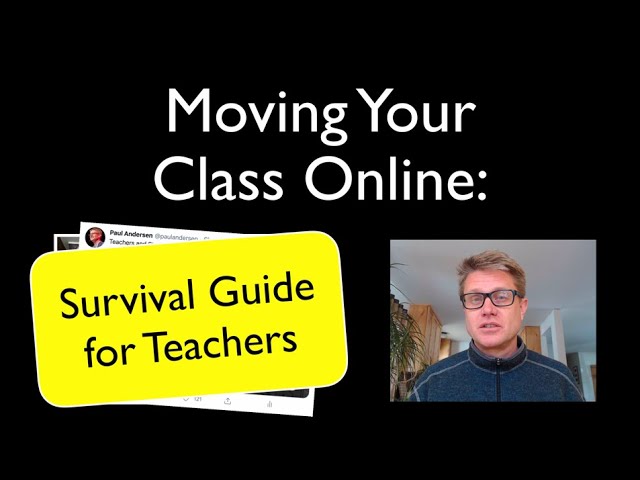
Put together a video to help teachers making this shift during the Coronavirus Pandemic.
—
—
Transcript Provided by YouTube:
00:00
hi it’s Paul Anderson and I’ve been
00:01
getting a ton of emails from teachers
00:03
asking me how do I make my videos
00:05
they’re putting their courses online and
00:06
they want some advice so I put together
00:08
some of my thoughts I also put this on
00:10
social media asking for help from other
00:12
teachers and students including my own
00:14
family and so I put together a survival
00:17
guide for teachers how to move your
00:19
course online I think it’s important to
00:20
know that you have a face-to-face
00:22
component but in my classroom I had a
00:24
really rich online component it took me
00:26
a whole summer to build it I built it
00:28
throughout the year and allowed me to
00:30
spend more time with my kids and now I
00:31
know that I was kind of unique and so as
00:34
that face to face class goes away a lot
00:37
of teachers are just left with those
00:38
online components and for some teachers
00:40
there’s not much there and so I get the
00:42
anxiety that comes from that moving that
00:44
course online and so I think the key
00:47
advice would be come from my friend Bob
00:48
who said don’t expect too much just keep
00:50
it simple you can’t replicate that
00:52
face-to-face interaction also know this
00:55
your kids are in a lot of different
00:57
emotional places some are happy some are
00:59
sad some are scared and some are
01:01
confused and so the best thing you could
01:03
do would be to just put a video of
01:05
yourself online saying I miss you I’m
01:08
really excited to try to do some of this
01:10
online we’re all in this together that’s
01:13
the best thing you can do to kind of
01:15
establish that rapport what we want to
01:16
avoid our kids who are confused and that
01:19
confusion a lot of time comes from
01:20
moving our class online first thing you
01:23
should watch out for is accessibility
01:24
imagine you had a student who was in a
01:26
wheelchair and you’re on a second floor
01:28
classroom it wouldn’t be like you would
01:29
start class without them you’re gonna
01:31
make sure they can get there and so this
01:33
is maybe more of a school system
01:34
question but if kids can’t get access to
01:36
your class
01:38
don’t make them required to be obviously
01:40
in your class but aside from that we
01:42
want to keep it as simple as we can my
01:44
friend Ryan said this be clear on how
01:46
you present your instructions try to use
01:48
as few tools as possible and I think
01:50
that’s a really really good advice first
01:52
thing you want to do is establish your
01:54
home most schools have a learning
01:56
management system like Google classroom
01:58
power school learning desire2learn
02:01
Moodle whatever that is establish that
02:04
as your home in some elementary schools
02:06
it’s just going to be your class website
02:08
and you want to make sure that
02:09
everything you do
02:11
was there that’s that one place where
02:12
everything’s posted what should be there
02:15
clear instructions establish a routine
02:17
with your students when you’re going to
02:19
be there when they’re gonna be those
02:20
meeting times what are your expectations
02:22
and then all links to files any kind of
02:26
assessments all should come from that
02:28
homepage quality really matters and that
02:31
means in two places like what you put on
02:33
that homepage is really really important
02:35
give thought to that but also quality
02:37
matters is a group out of Maryland who
02:39
have established what are the good parts
02:41
of an online class I’ll put a link to
02:43
their rubric below
02:44
it’s got like 30 some things don’t see
02:46
that as an exhaustive list but I would
02:48
look in those areas to say like am i
02:50
doing most of these for my students am i
02:52
giving them quality in the online class
02:54
like I would in the face-to-face class
02:57
next thing is you have to start thinking
02:58
about how am I gonna communicate Tenaya
03:00
said she’s using zoom Google hangout so
03:03
they can communicate and that zoom is
03:05
really a lot of teachers are talking
03:07
about that and it is super easy to use
03:08
but also know you want to shift that
03:11
communication from like live
03:13
communication to asynchronous
03:15
communication one of the great parts
03:17
about being online is that we don’t have
03:19
to be all on at the same time if that’s
03:21
possible with your school and as you do
03:23
that you need to be thinking about are
03:25
you gonna communicate are you gonna
03:26
curate like that communication or are
03:29
you gonna start to create it yourself so
03:31
for example Stephanie mentioned that she
03:33
was using videos like mine to start
03:35
delivering some of that content I know a
03:38
lot of teachers use Edie puzzle if
03:40
you’re not familiar with that it
03:41
essentially wraps around the video and
03:43
you can have the students answer
03:44
questions or or pause the video at
03:46
certain points along that along the way
03:48
so they can reflect if you’re gonna go
03:50
more to the creation route I would
03:52
encourage you to not go too deep in the
03:54
technology right away you can really get
03:56
over your head with with technology the
03:59
easiest thing to do is just use this
04:01
just use your phone your phone can shoot
04:04
video of yourself or the webcam can
04:06
shoot video of yourself and the easiest
04:08
thing to do is just upload that right
04:10
away my friend Patrick JMT has been
04:13
making math videos forever and he just
04:15
points the webcam at his self or or
04:17
usually just at his hand as he’s working
04:19
out these complex math problems and then
04:21
uploads that
04:22
you don’t have to do any editing you
04:23
just put it on YouTube and share that if
04:25
you want to go more electronic you can
04:27
go like Karen says using
04:28
screencast-o-matic I could be making
04:31
this video and screencast-o-matic it
04:33
essentially records everything that’s on
04:35
the screen and then the webcam as well
04:37
so I could put my video down in the
04:39
corner I think that’s important to
04:41
include your face on your videos it
04:44
makes them more personal and give
04:45
students kind of a connection you could
04:47
do this in PowerPoint as well you just
04:49
create your your presentation in
04:51
PowerPoint and then within PowerPoint
04:53
you can record narration your voice
04:55
coming over it you can export it as a
04:57
file that you can put up to YouTube an
04:59
in PowerPoint you can also write on the
05:01
screen when I was making some of my
05:02
early videos I would just use a graphics
05:04
tablet to write on my videos I’m using
05:08
ScreenFlow to make my videos that cost
05:10
money
05:10
unlike screencast-o-matic which is going
05:13
to be pretty free or actually freaky the
05:16
way it works is it’s I essentially put
05:19
together this keynote so I did this in
05:21
keynote it’s like PowerPoint on a Mac
05:23
and then it’s just recording that right
05:26
now as I talk it’s recording what’s on
05:28
the screen and then it’s recording my
05:30
face and so when I’m done it’ll just pop
05:32
it into a little editor so I can edit
05:35
the files and then upload that to
05:36
YouTube I think you have to know that
05:38
this takes a long time I came up with
05:40
this idea this morning put it on social
05:42
media but it’s like one o’clock and I’m
05:45
not done yet so I’m still working on
05:46
that so it takes a long time to make
05:48
these videos the easiest way to do it is
05:50
just point a webcam at your face next
05:53
thing you have to start thinking about
05:54
is what learning tools am i using my
05:56
friend Craig Beals is having kids just
05:58
write their answers on a piece of paper
06:00
and then he’s using jam board which is a
06:02
part of the Google suite a lot of
06:05
teachers offered so many different
06:06
things that they’re using from Edie
06:08
puzzle to jam board Nearpod Evernote
06:10
Pierre deck para deck and seesaw seesaw
06:13
is really cool elementary teachers use
06:16
that so you can film what the students
06:17
are doing or what they’re doing at home
06:19
I’ll put links to both Twitter and
06:21
Facebook conversations down below if you
06:23
want to see some of the other tips that
06:25
are there but I think you really want to
06:27
focus on just one of these know that
06:29
especially in high school if each
06:31
teacher is choosing another learning
06:33
tool that means that those kids have to
06:35
learn
06:35
sometimes like a dozen different tools
06:37
and so if it doesn’t exist within the
06:40
learning management system can you talk
06:41
to other teachers to make sure that
06:43
we’re using the same things and then to
06:45
kind of wrap this up I think like think
06:47
about this five years from now kids
06:49
won’t think about your class and if it
06:51
went well or not they’ll be thinking
06:52
about the corona virus pandemic and
06:54
maybe their fear how their lives changed
06:57
as a result of that and I think teachers
06:59
like myself and that’s why I’m putting
07:01
this video together I want to do
07:02
something to help people out and I think
07:04
the key thing is just being there
07:06
emotionally helping them but I hope this
07:08
video is just a part of that and I hope
07:10
that was helpful
—
Previously published on YouTube.
—
Photo credit: Screenshot from video.


.